Station
A secure, self-hosted platform for building and deploying intelligent sub-agents.
🌐 Browse Bundle Registry - Discover ready-to-use MCP bundles for Station
📚 Documentation - Complete Station documentation and guides
Lightweight runtime for deployable sub-agents that need to access internal systems, run deep in your infrastructure, and integrate seamlessly with your existing deployment processes.
Station is purpose-built for deployable sub-agents - the intelligent automation you need for infrastructure monitoring, deployment pipelines, security scanning, and day-to-day tasks that require secure access to internal systems.
Why Station Exists
When you need agents for internal work, you need more than application-focused agent platforms. You need:
- Secure Internal Access - Agents that can safely handle database credentials, API keys, and system-level access
- Versionable Deployment - Deployable agents that integrate with your existing deployment pipelines
- Team-Approved Tools - Easy way to use and share the tools your team builds and approves
- Low Footprint Runtime - Lightweight system that blends into your infrastructure without overhead
Station provides exactly this - a lightweight, secure runtime specifically designed for deployable sub-agents.
Key Features
🔒 Security by Design
- Self-Hosted - Complete data sovereignty, no external dependencies beyond AI providers
- Encrypted Secrets - AES encryption for credentials and sensitive configuration
- Environment Isolation - Separate execution contexts for dev/staging/prod
- Audit Trail - Complete tracking of agent deployments and executions
⚡ Lightweight & Integrated
- Single 45MB Binary - No complex infrastructure or dependencies
- SQLite + Litestream - Zero-setup database with automatic replication for production
- GitOps Ready - Version-controlled agent configurations like infrastructure code
- Existing Toolchain - Uses your team’s approved MCP tools and integrations
🔧 MCP Integration
- Connects to Any MCP Client - Claude Desktop, Cursor, VS Code, and more
- Variable Templates - Easy sharing with parameterized configurations
- Git-Backed Registries - Install bundles directly from GitHub repositories
- Add Any MCP Tools - Assign filesystem, AWS, database, or custom tools to agents
Quick Start
Get Station running in 2 minutes:
# 1. Install Station
curl -fsSL https://raw.githubusercontent.com/cloudshipai/station/main/install.sh | bash

# 2. Initialize with your AI provider
stn init --provider anthropic --ship  # or: openai, gemini
stn auth anthropic login              # for Claude Max/Pro subscription

# 3. Start Jaeger tracing
stn jaeger up

# 4. Connect to Claude Code
claude mcp add station -e OTEL_EXPORTER_OTLP_ENDPOINT=http://localhost:4318 --scope user -- stn stdio
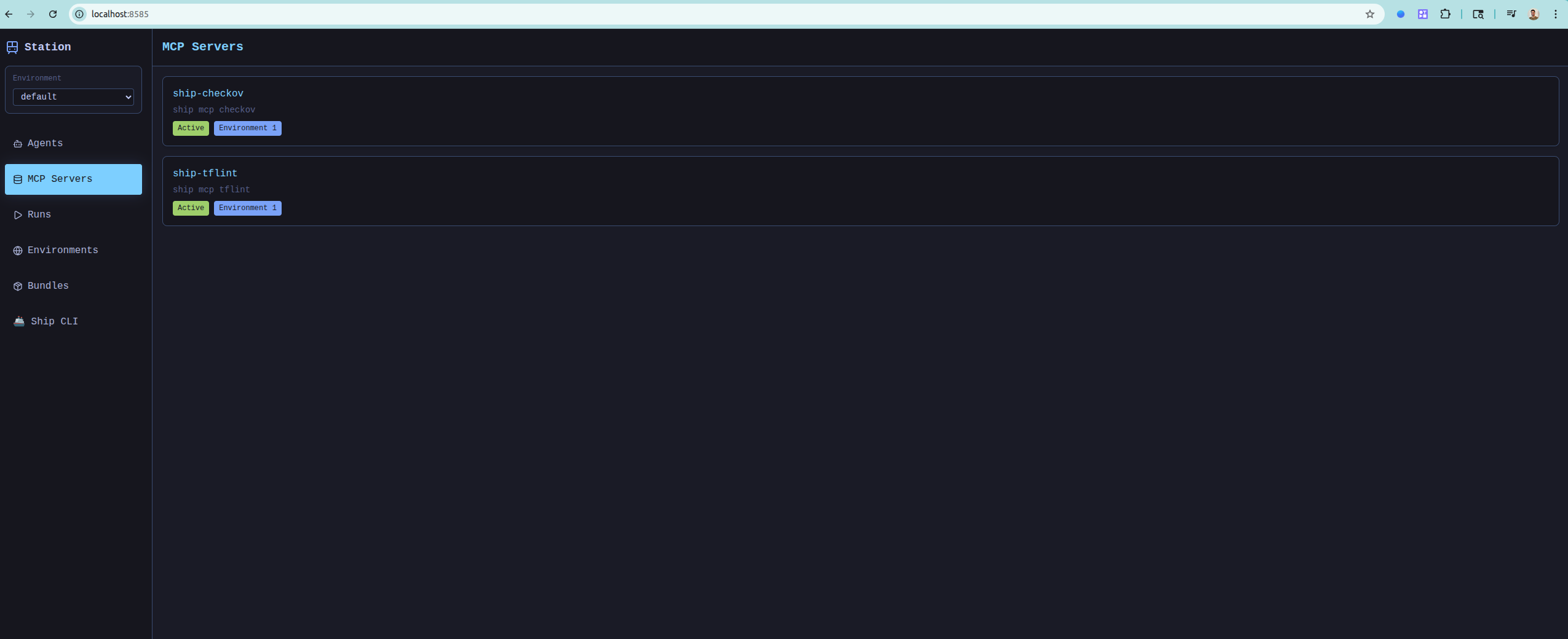
✅ Ready! You now have 41 MCP tools available. Open Station UI to configure agents.
Architecture Overview
Station provides multiple interfaces for agent management:
- CLI - Command-line interface for development and scripting
- REST API - HTTP API for integration with existing systems
- SSH/TUI - Terminal-based admin interface
- MCP Server - Model Context Protocol for AI client integration
graph TB
    %%{init: {"theme": "default", "themeVariables": {"fontSize": "14px"}, "flowchart": {"curve": "basis", "padding": 20}}}%%
    subgraph "Station Runtime"
        CLI["stn CLI Commands"]
        SSH["SSH Terminal UI"]
        HTTP["HTTP API Server"]
        MCP["MCP Server"]
    end

    subgraph "Core Services"
        Scheduler["SchedulerService"]
        ExecutionQueue["ExecutionQueueService"]
        Webhook["WebhookService"]
        Agent["AgentService"]
        ToolDiscovery["ToolDiscoveryService"]
    end

    subgraph "Data Layer"
        Repository["Repository Layer"]
        Config["Config Files"]
        SQLite["SQLite Database"]
    end

    subgraph "AI & Integration"
        GenKit["GenKit Framework"]
        ExternalMCP["External MCP Servers"]
        Anthropic["Anthropic Provider"]
        OpenAI["OpenAI Provider"]
        Gemini["Gemini Provider"]
    end

    CLI --> Agent
    SSH --> Agent
    HTTP --> Agent
    MCP --> Agent

    Agent --> ExecutionQueue
    Agent --> ToolDiscovery
    ExecutionQueue --> Scheduler
    Scheduler --> Webhook

    Agent --> Repository
    Repository --> Config
    Repository --> SQLite

    Agent --> GenKit
    ToolDiscovery --> ExternalMCP
    GenKit --> Anthropic
    GenKit --> OpenAI
    GenKit --> Gemini
All interfaces connect to the core agent management system with MCP tool integration, configuration management, and security services.
Next Steps
- Quick Start Guide → - Get running in 5 minutes
- Installation Options → - Manual install, Docker, build from source
- Learn MCP Tools → - What you can do via MCP
- Browse Bundles → - Ready-to-use agent bundles